Getting people signed up for your event shouldn't be a headache. It's the first thing folks see, so making it easy and clear really matters. Think about it, a clunky sign-up process can turn people off before they even get to the fun part. We'll look at how to make this whole thing smoother, from picking the right tools to handling people when they show up.
Key Takeaways
- A good first impression starts with simple event registration. Make it easy for people to sign up.
- Using the right event registration systems can really cut down on hassle for both you and your attendees.
- Keep your sign-up forms short and sweet. Only ask for what you absolutely need.
- Digital tools, like mobile-friendly websites and automated emails, make the whole process way easier.
- When people arrive, make check-in fast. Technology like QR codes or quick badge printing helps a lot.
Understanding the Importance of Efficient Registration
Getting the registration process right for your event is a big deal. It's not just about collecting names and payments; it's really the first real interaction people have with your event, and that first impression can set the whole tone. If it's clunky or confusing, people might start to wonder if the actual event will be the same way. We want attendees to feel welcomed and organized from the moment they sign up, whether it's for a small workshop or a huge conference. A smooth process makes everyone happier and makes your job a lot easier too.
First Impressions Matter
Think about it: the registration page or desk is often the very first touchpoint an attendee has with your event. A messy, slow, or confusing sign-up process can leave a sour taste before the event even begins. On the flip side, a clean, quick, and easy registration experience makes people feel good about their decision to attend. It shows you've put thought into their experience from the start.
Ensuring Data Accuracy
Beyond just the attendee's feeling, getting the registration details right is super important for planning. Incorrect names, email addresses, or dietary restrictions can cause all sorts of headaches down the line. Accurate data helps you know exactly who is coming, what they need, and allows for better communication before and after the event. It’s the foundation for everything else.
Saving Time for Everyone
Nobody likes waiting around, right? A streamlined registration process means less time spent by attendees filling out forms or waiting in line, and less time for your staff dealing with confused people or fixing errors. When registration is efficient, it frees up valuable time for both your attendees to get excited about the event and for your team to focus on other important planning tasks. It's a win-win situation that makes the whole event run more smoothly. Getting your event registration sorted efficiently is key.
Choosing the Right Event Registration Systems
Picking the right system for signing people up for your event can feel like a big decision. It’s not just about collecting names; it’s about making the whole process smooth for everyone involved. Think about what you really need. Do you have a small workshop or a huge conference? The software needs to handle that. Also, how easy is it for people to use? If it’s confusing, they might just give up. We want to make it simple, right?
Key Features of Effective Software
When you're looking at different registration tools, keep an eye out for a few key things. First, it should be easy to set up and use. Nobody wants to spend days figuring out complicated software. Second, it needs to be flexible. Can you change the questions you ask? Can you add different ticket types? This is important for getting the right information. Third, think about payments. It should handle different ways people like to pay, like credit cards or maybe even digital wallets. And don't forget about support. If something goes wrong, you want to know someone can help you fix it quickly.
Here’s a quick look at what to consider:
- User-Friendliness: Is the interface clear for both you and your attendees?
- Customization: Can you tailor forms and workflows to your specific event?
- Payment Processing: Does it support various payment methods securely?
- Reporting: Can you easily get data on who has signed up?
- Integration: Does it connect with other tools you use, like email marketing or CRM?
Exploring Popular Platforms
There are quite a few options out there, and they all do things a little differently. Some are really good for big, complex events, while others are simpler and better for smaller gatherings. It’s a good idea to check out a few of the top ones, like Swoogo, Hopin, Cvent, and RegFox. Many of them offer free trials or demos. This is your chance to actually play around with the software and see if it feels right for your event. You can discover the leading event registration software options to get a better idea of what's available.
Matching Systems to Your Needs
So, how do you pick the one that’s best for your event? Start by thinking about your goals. How many people are you expecting? What kind of information do you need to collect? Do you need to track different ticket prices or offer discounts? Once you know what you need, you can compare the features of different platforms. For example, if you need to collect detailed attendee information for future marketing, a system with strong data management and CRM integration would be a good choice. If your main concern is making the payment process super easy, look for platforms with multiple payment options and a straightforward checkout. Ultimately, the best system is the one that makes your life easier and your attendees' experience better.
Choosing the right registration system isn't just a technical choice; it's a strategic one that impacts attendee satisfaction and your event's overall success. Take the time to research and test different options to find the perfect fit.
Simplifying the Registration Form
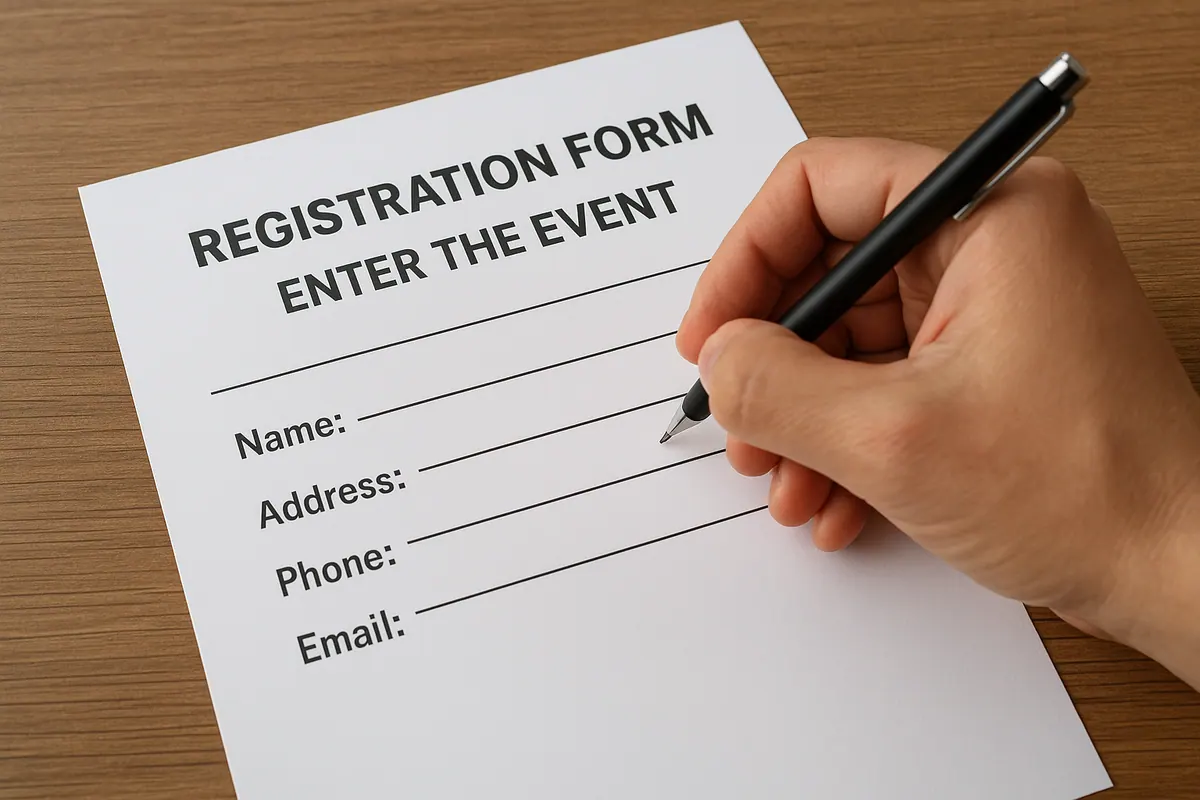
Making your event registration form easy to fill out is a big deal. Nobody wants to spend ages typing in their life story just to sign up for something. Let's break down how to make this part of the process much smoother.
Minimize Required Fields
Think about what you really need to know. Most of the time, just a name and email address are enough to get someone registered. You can always ask for more details later, maybe in a follow-up email or closer to the event date. Asking for too much upfront can make people click away before they even finish. It's like going to a store and having to fill out a form just to look at a shirt, it's a bit much, right?
Utilize User-Friendly Input Types
Use tools that make filling out the form less of a chore. Dropdown menus are great for selecting from a list, like ticket types or dietary options. Checkboxes work well for multiple selections. And if you can, use autofill features where possible, especially for things like addresses. It saves people from typing the same info over and over. Little things like this make a big difference.
Provide Clear Guidance
Sometimes, a field might be a bit confusing. Instead of just a blank box, add a little note right next to it. This could be a tooltip that pops up when you hover over it, or just a short sentence explaining what you need. For example, if you need a business name, you could add a small note saying, "If not applicable, please leave blank." This helps prevent errors and keeps the process moving.
A registration form that's too long or confusing is a major reason people abandon the signup process. Keep it short, sweet, and to the point.
Leveraging Digital Tools for Registration
These days, people expect things to just work, especially when signing up for something. That's where digital tools really come into play. Think about making a special spot on your website just for signing up, it needs to look good and work well on phones, because let's face it, most people are browsing on their phones. Making this digital space easy to use is key. When someone signs up, they should get an email right away confirming everything. It's also smart to include a way for them to add the event to their calendar. This little bit of automation saves you time and makes the attendee feel looked after. Plus, you want the actual sign-up pages to be super clear and simple. No one wants to hunt around for buttons or get confused by what to click next. It's all about making the whole process smooth so people actually finish signing up. We can also look at how to get more people to sign up using digital marketing tools.
Streamlining Onsite Check-In Processes

The moment attendees arrive, the onsite check-in process is their first real interaction with your event. Making this smooth and quick is super important. A clunky or slow check-in can sour the mood before anything even starts. Think about it: people have traveled, maybe dealt with traffic, and they just want to get inside and enjoy themselves. Long lines and confused staff aren't exactly a great welcome.
Implementing Smart Technology Solutions
Using technology can really change the game here. Instead of just paper lists, consider using tablets or even mobile apps for check-in. Many systems let you scan QR codes directly from a guest's phone, which is way faster than searching for a name. Some advanced systems even use facial recognition, though that's a bit more complex and might raise privacy questions for some folks. The key is to have a system that syncs attendee data in real-time, so if someone registered late or changed their ticket, the staff can see it instantly.
Managing Walk-Ins Effectively
Walk-ins are always a possibility, and you need a plan for them. Having a dedicated station for on-site registration is a good idea. Make sure the staff there have a quick way to get new attendees into the system and print badges. It’s also helpful to have a clear pricing structure displayed so there’s no confusion. Don't let walk-ins slow down the pre-registered lines.
Training Staff for Smooth Operations
Even the best tech won't work if the people using it aren't prepared. Your check-in staff needs to know the system inside and out. They should be trained on how to handle common issues, like a guest not finding their name or a problem with a QR code. Role-playing different scenarios can be really helpful. Make sure they know who to ask if they run into a problem they can't solve quickly. A well-trained team makes all the difference in keeping things moving and making guests feel looked after.
Best Practices for Seamless Event Registration