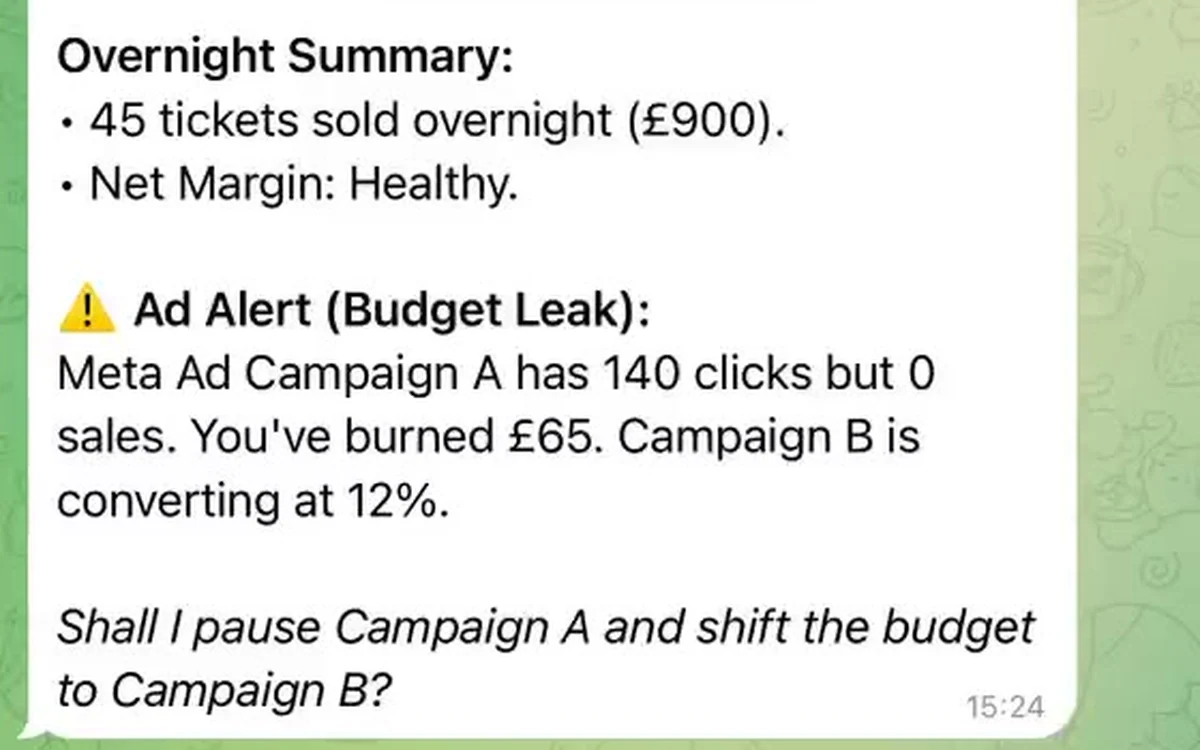
The problem in one picture
You run ads for a concert. Someone sees the ad, clicks, opens the ticket widget, and pays.
Two systems watch this happen. The ad platform sees the click. XTIX sees the purchase. For a long time nothing connected the two, so if you wanted to know which ad was selling tickets, you had to guess.
The ad report is easy to read. It shows clicks, impressions, and what each click cost. What it leaves out is how many of those clicks ended in a ticket. That is the number that tells you whether the money worked.
Why this costs you money
Take two ads from the same campaign. Same event, same budget: £500 each. A ticket costs £90.
- Reels: 500 clicks, 12 paid orders, £1,080
- Stories: 300 clicks, 24 paid orders, £2,160
Two numbers settle the decision. Cost per paid order, and return on ad spend.
- Reels: £41.67 per paid order, 2.2x return
- Stories: £20.83 per paid order, 4.3x return
The same £500 went in, and Stories came back with twice as much.
Read the click report on its own and Reels wins 500 to 300, so Reels gets the next £500. You would have moved money to the weaker ad. The click report is accurate. It is simply answering a different question from the one you care about.
What XTIX now does
When someone clicks your ad, the ad platform adds its own identifier to the link. That identifier is called a click ID. XTIX keeps it with the order and hands it back to you once the order is paid, so one line runs from the click through to the sale and holds the whole way.
XTIX covers four ad systems and stores six click IDs in total:
fbclidfor Meta, which is Facebook and Instagramgclidandgbraidfor Google Adswbraidfor Google Ads on mobile placementsyclidfor Yandex Directmsclkidfor Microsoft Advertising
You do not add any of these by hand.
What the identifier travels with
Once the order exists, the parameters are stored on it, and they come back to you:
- in the order data through the API
- in the
order_createdwebhook - when the order moves to payment
- in the
order_donewebhook after a successful purchase - in notifications about cancelled and expired orders
So the identifier survives the whole path from opening the widget to paying. That gives you a way to tell these apart:
- someone opened the purchase form
- someone created an order
- someone moved to payment
- someone actually paid
- someone cancelled or never finished
For ad reporting the one that counts is order_done, because it confirms a real sale rather than a tap on a button.
What you need to do
1. Tag every ad separately
You write the UTMs yourself, and every ad gets its own link. The parameter that matters most is utm_content, because it is what separates two creatives inside one campaign. Reels, Stories and a carousel should carry three different values.
Say you are running those three creatives for a concert in London. The Reels link looks like this:
https://example.com/london
?utm_source=instagram
&utm_medium=paid_social
&utm_campaign=london_november
&utm_content=reels_video_01
When someone clicks it, Meta adds a long identifier of its own, so the page opens with roughly these parameters:
utm_source=instagram
utm_medium=paid_social
utm_campaign=london_november
utm_content=reels_video_01
fbclid=IwZXh0bgNhZW0CMTEAAR...
Everything except the last line comes from you. That last one is the click ID, and the ad platform attaches it by itself. There is nothing to decode in it, and you never type it by hand. Its job is to let Meta or Google match a purchase back to a specific click on their side, which is why it has to travel all the way down to the order.
2. Check the parameters reach the widget
The ticket widget reads the ad parameters from the URL it loads with, so they have to survive the trip from your ad to the widget. Test it on your own click. Open the ad, follow it through to the ticket page, and look at the address bar. If fbclid is gone before the widget opens, something in between removed it. Shortened links, redirects, and some cookie banners are the usual culprits.
3. Get the numbers out of XTIX
You do not have to build anything for the main answer. Your XTIX account already has a UTM report. It groups orders by campaign and by creative, shows the path from the first click through to the completed order, and puts the revenue next to it. You can export it to a spreadsheet and compare cost per paid order yourself.
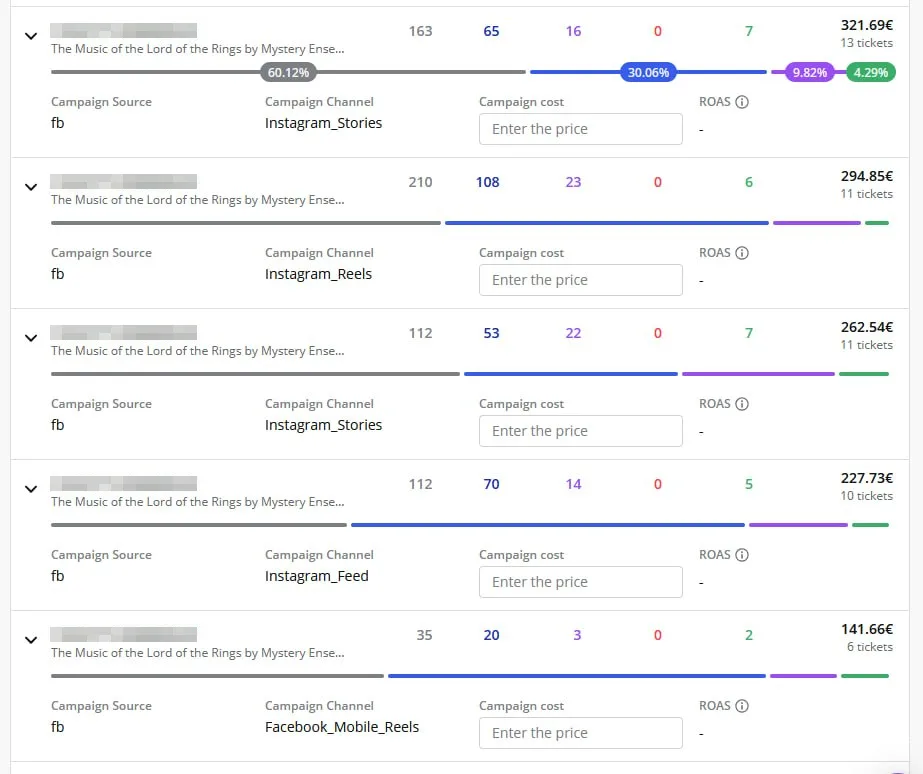
There is a shorter route inside the same report. Enter what you spent on each campaign and it calculates your return on ad spend directly, with no spreadsheet involved.
And if you would rather not type the numbers in at all, Growth Assistant connects to your ad accounts and your analytics through their APIs, so it reads your spend on its own and follows the UTM tags through to the paid order inside XTIX. It also points out the campaign that is spending without selling anything, and says where that money would do more. It runs in WhatsApp and Telegram, so there is no extra dashboard to open. Growth Assistant is in early access, and you can read about it on the Growth Assistant page.
Whichever route you take, watch which column you count as a sale. Count completed orders. Orders that were only opened, or that were later cancelled or expired, are not sales, and counting them flatters an ad that does not deserve it.
If you want the same numbers flowing into your own CRM or reporting tool automatically, XTIX returns them through the API and by webhook. That part is a developer's job, and there is a short reference for it at the end of this post.
4. Judge ads by paid orders
Compare cost per paid order across ads and creatives, and move budget to the ones that come out cheaper. Look at the same period for each ad so the comparison stays honest.
Once this is running, there is an optional step beyond it. Your system can send the completed sale back to the ad platform as a conversion. Meta describes that connection as a server-side channel that works alongside the browser Pixel and improves matching, and it helps the platform find more people who look like your buyers. If you run both the Pixel and the server connection, send the same event ID for the same purchase so it is not counted twice. That part is a developer's job, and it deserves its own post.
Questions you can answer now
- Which ads actually produced paid orders?
- How much did you pay for each of those orders?
- Which creative is worth scaling, and which one should be switched off?
- How many people started checkout and never paid?
- What did each campaign really return against its budget?
Worth knowing before you start
- A click identifier lands on an order only if it was in the link when the widget opened.
- If your site redirects between the ad and the widget, check that the parameters survive it.
- Orders placed before this change have no identifier to recover.
- Attribution is never complete. It depends on campaign settings, user consent, and the rules of the ad platform.
- Handling ad data has to follow the applicable privacy requirements.
If you are building this
Click IDs come back on orders through:
GET /v2/resources/orders
GET /v2/resources/orders/{id}
The fields sit in:
data.sessions.gclid
data.sessions.gbraid
data.sessions.wbraid
data.sessions.yclid
data.sessions.fbclid
data.sessions.msclkid
They also appear in refs.click_ids[order_id], and every webhook carries them inside sessions:
{
  "type": "order_done",
  "data": {
    "id": "ORDER_ID",
    "sessions": {
      "fbclid": "META_CLICK_ID"
    },
    "values": {
      "full": "90.00"
    }
  }
}
utm_content is part of the UTM statistics and exports, including:
POST /v2/services/utm/listIn short
The click report and the ticket report were never the same thing, and the gap between them is money. Tag your ads, make sure the parameters survive the trip to the widget, and start measuring cost per paid order. Then the next budget decision has an answer in it.